Rounds Web Extension
Review UWorld.
We’ll find the cards.
A lightweight browser extension that finds the matching AnKing cards for the UWorld questions you missed and opens them directly in Anki while you review.
Takes less than a minute to install.
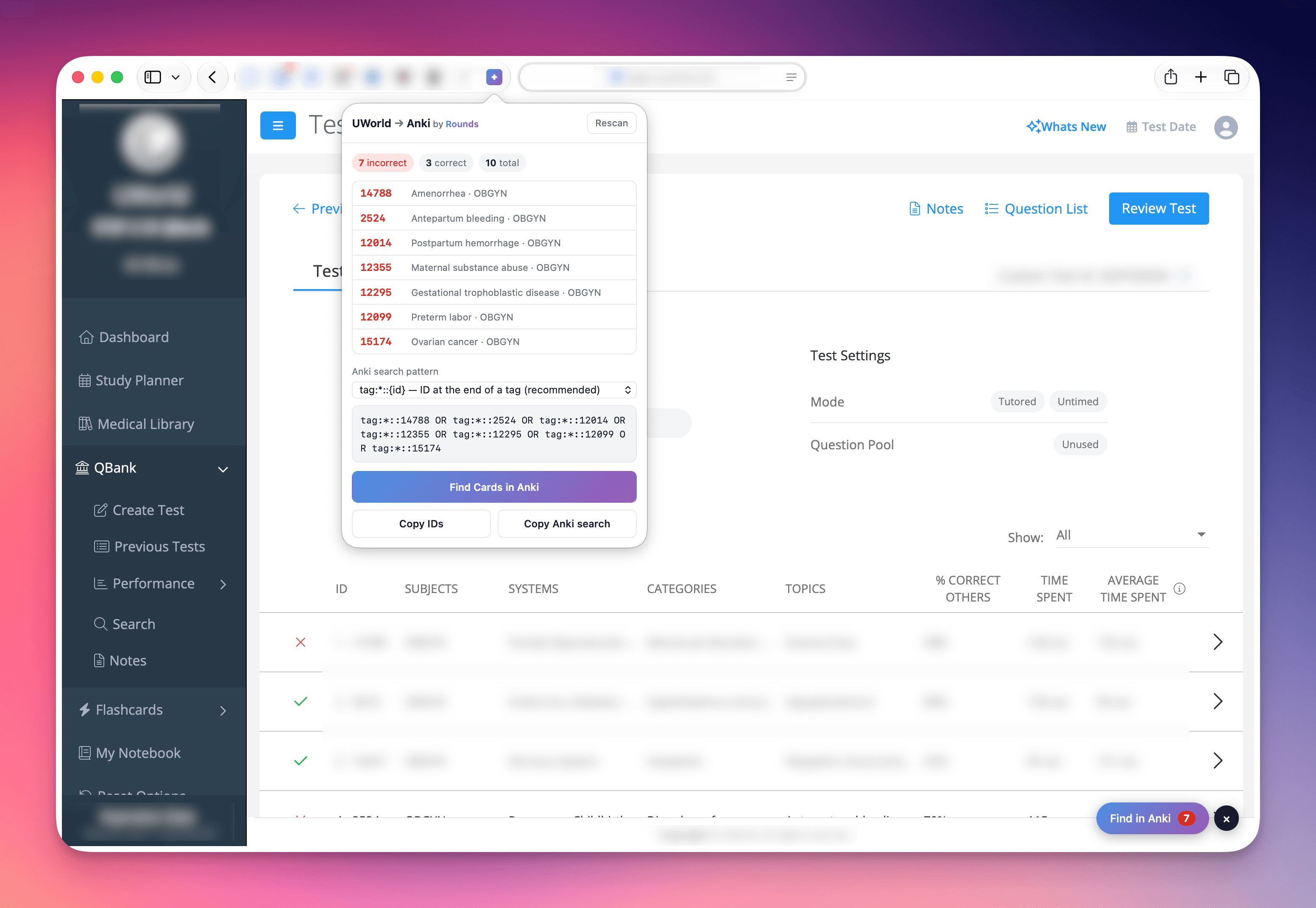
A better review workflow
You already spend enough time reviewing explanations.
The extension removes the part nobody likes: manually searching AnKing for every missed question.
Simply review your block like normal. As you move through your incorrects, the extension identifies the topic and opens the matching cards in Anki automatically.
- No copy and paste.
- No searching.
- No breaking your flow.
Before you download
Safari today, Chrome and Firefox coming soon.
Cards are opened directly inside the desktop app.
The extension matches questions using AnKing tags.
Install in under a minute
1Download the app
Open the installer and drag the app into Applications.
2Launch it once
The first launch registers the extension with Safari.
3Turn on the extension
Enable Rounds Web Extension in Safari Settings → Extensions.
4Start reviewing
Open a UWorld block, click Review, and let the extension do the rest.
Built because this annoyed me too.
After every UWorld block I’d spend fifteen or twenty minutes trying to find the exact AnKing cards for questions I’d just missed. It felt like unnecessary friction in an otherwise great study workflow. So I built the tool I wanted to use.
It runs entirely on your Mac. It doesn’t copy UWorld questions, upload your review history, or send your data anywhere.
It’s free because I think every medical student should have a smoother review workflow.
Not affiliated with UWorld or AnKing. The extension runs locally on your machine and simply helps connect tools you already use.
While you’re here…
This extension is a small free thing we built on the side. Rounds is the app it came from: daily diagnosis cases that train the reasoning Step 1 and Step 2 test, plus the calculators and differentials you reach for once clerkships start.